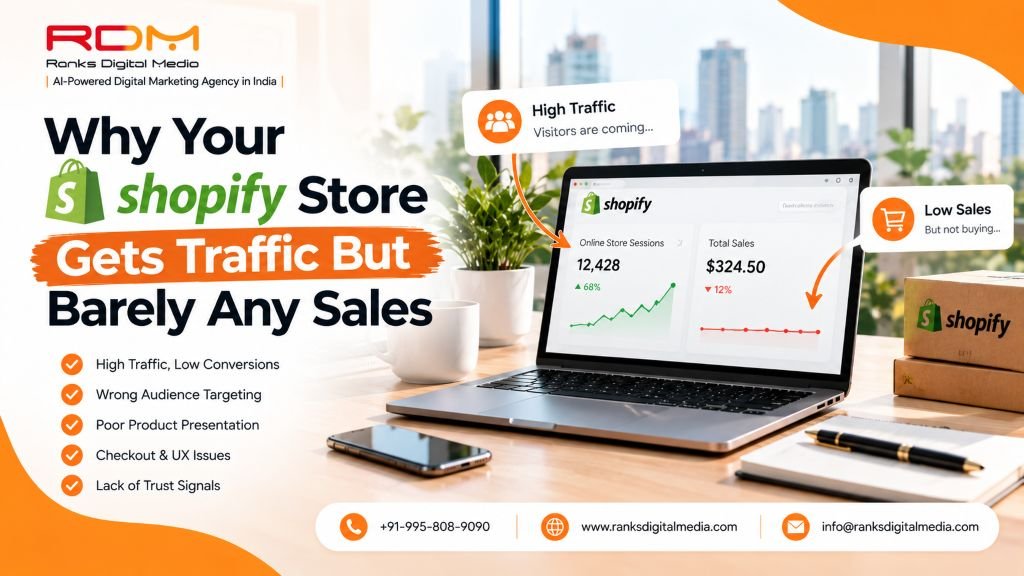
Your analytics show real visitors. Product pages are being viewed. And your sales numbers still don’t reflect that traffic at all. This is one of the most common and most fixable problems in ecommerce — and it almost always comes down to a handful of specific, identifiable issues.
The 6 Most Common Conversion Killers
📝 1. Product Pages Don’t Answer Real Buying Questions
Generic product descriptions that just restate features, without addressing sizing concerns, real use cases, or common hesitations, leave visitors without enough confidence to complete a purchase.
✅ Fix: Rewrite to answer specific buyer questions🛒 2. Checkout Has Too Much Friction
Forced account creation, unexpected shipping costs revealed late in checkout, or too many form fields all cause abandonment at the exact moment a customer was ready to buy.
✅ Fix: Guest checkout, early shipping, minimal fields⭐ 3. There’s No Visible Social Proof
Shoppers, especially first-time visitors, look for reviews before trusting an unfamiliar brand with payment details. A store with no visible reviews reads as untested, regardless of actual product quality.
✅ Fix: Collect and prominently display reviews + UGC📸 4. Product Images Don’t Build Enough Confidence
Low-quality, inconsistent, or insufficient product photography leaves buyers uncertain about exactly what they’re purchasing — a major hesitation point, particularly for products where fit, texture, or scale matter.
✅ Fix: Multiple high-quality angles + in-use context🐌 5. Site Speed Is Quietly Killing Conversions
App bloat is extremely common on Shopify stores, and every additional app can add page load weight. A slow store loses visitors before they even properly see the product, regardless of how compelling it might have been.
✅ Fix: Audit and remove low-value apps regularly🎯 6. Traffic Quality Doesn’t Match Buying Intent
Sometimes the issue isn’t the store at all — it’s that the traffic arriving isn’t genuinely interested in buying, whether from broad, low-intent ad targeting or content that attracts browsers rather than buyers.
✅ Fix: Review traffic sources vs. genuine purchase intentThe Pattern Worth Remembering
Traffic and sales are two separate problems requiring two separate solutions.
Getting more visitors to a store with a conversion problem just means more people seeing the same issues — fixing conversion first is almost always the higher-leverage move before investing further in more traffic.
Quick Shopify Conversion Self-Audit
📋 Check These 6 Things Before Spending More on Ads
- Do product pages answer the specific questions buyers ask before purchasing?
- Can visitors check out as guests without forced account creation?
- Are shipping costs shown early, not revealed at the final step?
- Are genuine reviews visible on product pages and homepage?
- Do you have multiple high-quality images per product from different angles?
- Have you audited installed apps for performance impact recently?
🛍️ Want a Second Set of Eyes on Your Store?
At Ranks Digital Media, we audit Shopify stores specifically for conversion problems — not just traffic. Most of our clients find their real revenue growth comes from fixing what’s already on the page, not from spending more on ads.
Here’s what a free Shopify store audit covers:
- 📝 Product Page Review — Are your descriptions answering real buying questions?
- 🛒 Checkout Friction Analysis — Where exactly are visitors abandoning?
- ⭐ Social Proof Assessment — Are reviews visible enough to build trust with new visitors?
- 📸 Product Image Audit — Do your visuals build confidence or create hesitation?
- ⚡ App & Speed Performance Check — Which apps are slowing your store down?
- 🎯 Traffic Quality Analysis — Is your traffic matching genuine buying intent?
- 📋 Prioritized Fix Plan — What to fix first for the fastest conversion lift
See our ecommerce website development services or ecommerce SEO services for detail.
💡 Get a free Shopify store audit and find out exactly what’s costing you sales on the traffic you already have. Stop chasing more visitors — start converting the ones who already arrive.
Limited audit slots available — find your conversion leak before spending more on ads
Frequently Asked Questions
Conclusion
When your Shopify store gets traffic but no sales, the instinct is almost always to chase more traffic. But that instinct is expensive — you’re essentially paying to send more people to a store that isn’t converting the visitors it already has.
The real fix is almost always on the store itself: product pages that build confidence, a checkout that removes friction, visible social proof, high-quality images, a fast site, and traffic that genuinely matches buying intent. Fix those first. Then — and only then — scale the traffic.
Explore our related services: